Unity Web Build Tools


Auto Install

Video Tutorial


Custom Install


How to install MadWeb Template

Step 1: Copy the "MadWeb Template" folder into .../Unity Hub\Editor\YourUnityVersion\Editor\Data\PlaybackEngines\WebGLSupport\BuildTools\WebGLTemplates

Copy the "MadWeb Template" folder present in the download.
Locate your unity editor install location.
Open "Editor\YourUnityVersion\Editor\Data\PlaybackEngines\WebGLSupport\BuildTools\WebGLTemplates" folder.
Paste the "MadWeb Template" folder there.
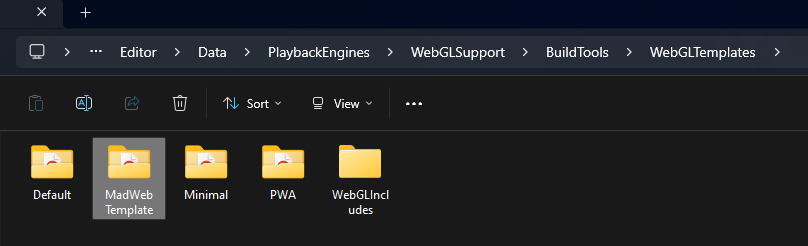
Paste folder

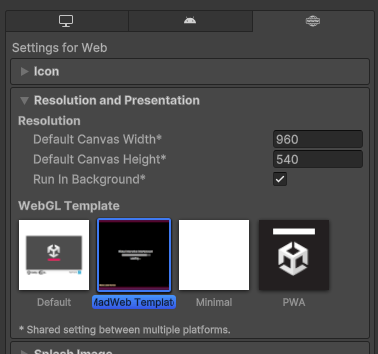
Step 2: Select MadWeb Template in Project Settings > Player > Resolution and Presentation

View detailed info here.

Select template

Step 3: Export a Web Build

Do you really need a summary for this??

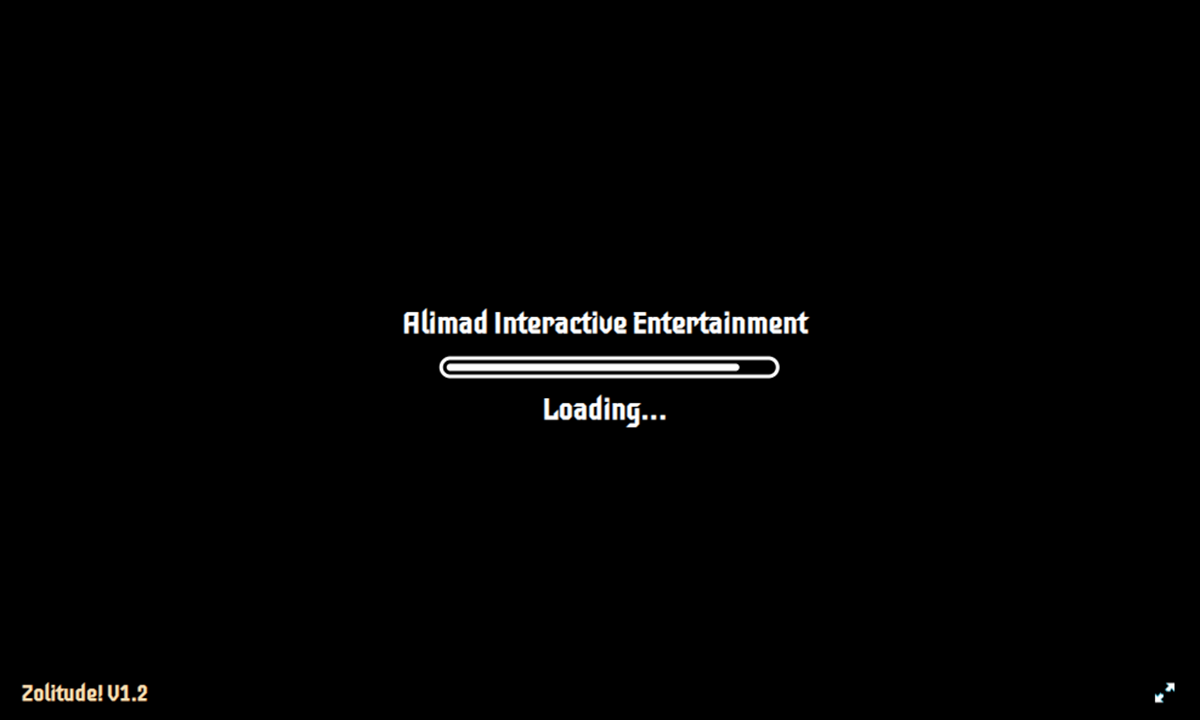
Preview

Customization

You can change the font by replacing TemplateData/font.ttf
Make sure to replace with the same name


You can change loading subitles by editing TemplateData/subtitles.txt
Format:
50%:Half Done
70%: More than half Done
etc...

Edit subtitles Edit subtitles


--------------------------

Multi Web Builds

Step 1: Make a copy of "Multi Web Build" folder and rename it to whatever you want.

Copy it somewhere ouside of this downloads folder

Copy the folder

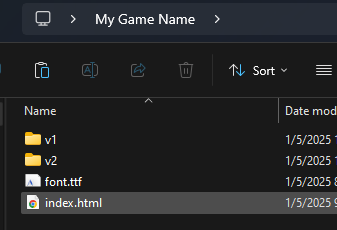
Step 2: Paste the contents of your first web build into the "v1" folder, second web build into "v2" folder and so on.

Make sure that index.html is directly accessible in those folders

Paste version 1 Paste version 2

Step 3: Zip the Multi Web Build folder you renamed and upload to itch.io

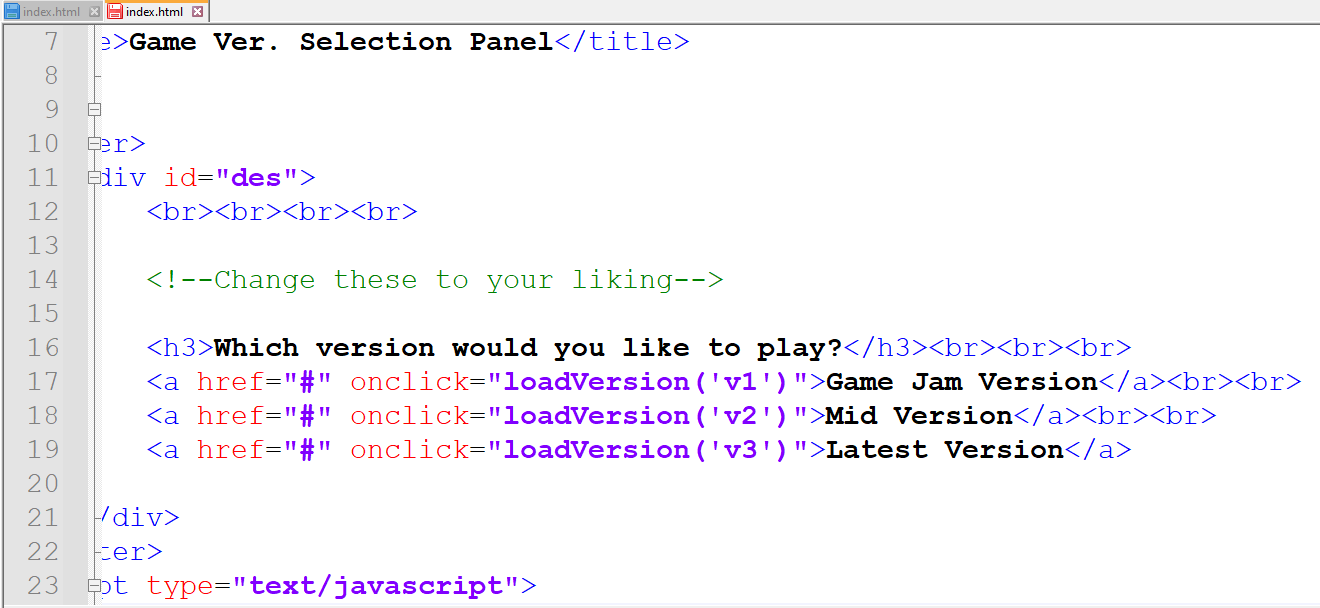
If you have more than 2 builds, or want to name the builds, edit index.html

Open "Multi Web Build" or the renamed folder and edit the index.html directly inside it. Add new versions using
"<a href="#" onclick="loadVersion('vn')">Version N</a>"

Change version names


--------------------------

Web Build Tools Github Page

More Links

Release 1.0

Made by Muhammad Ali